Local leagues. Lasting connections.
Start a league.
Give people a reason to return.
Turn local players into teams with a regular place to play. Welcome full rosters and free agents, organize the season, and keep everyone connected between game nights.
Here to play, not organize? Browse leagues in RecLynk.
Inside RecLynk · League play
The league. The team. The game.
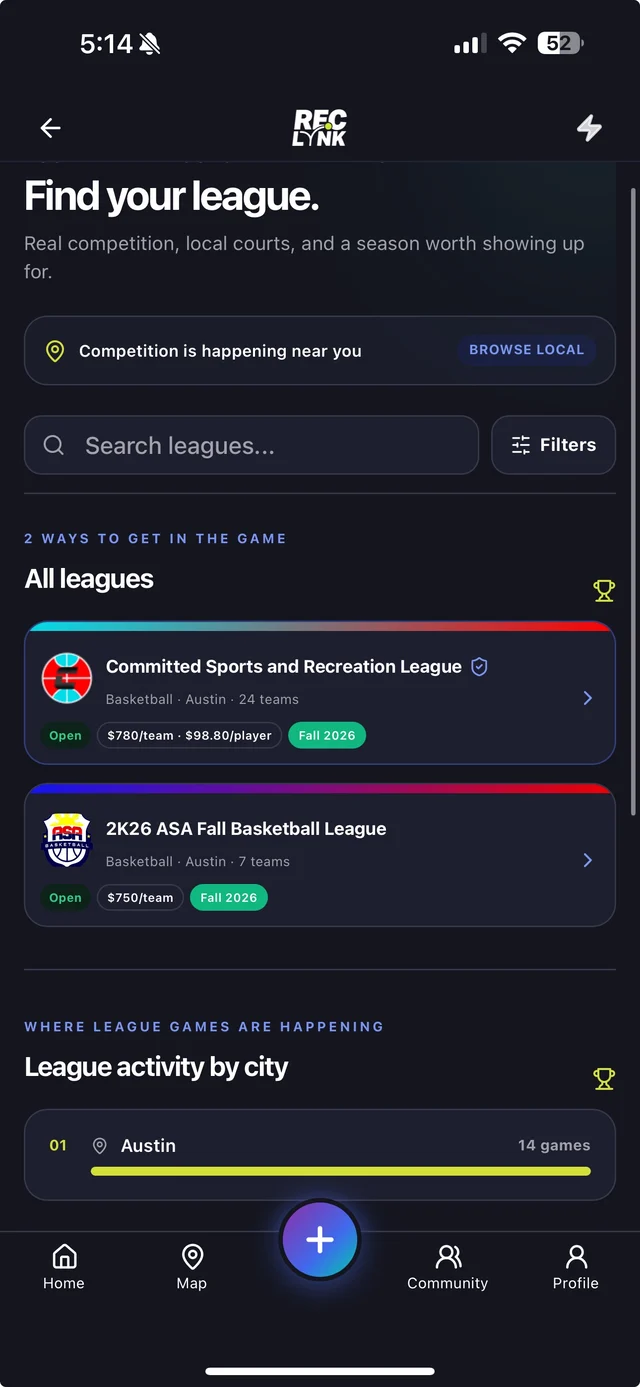
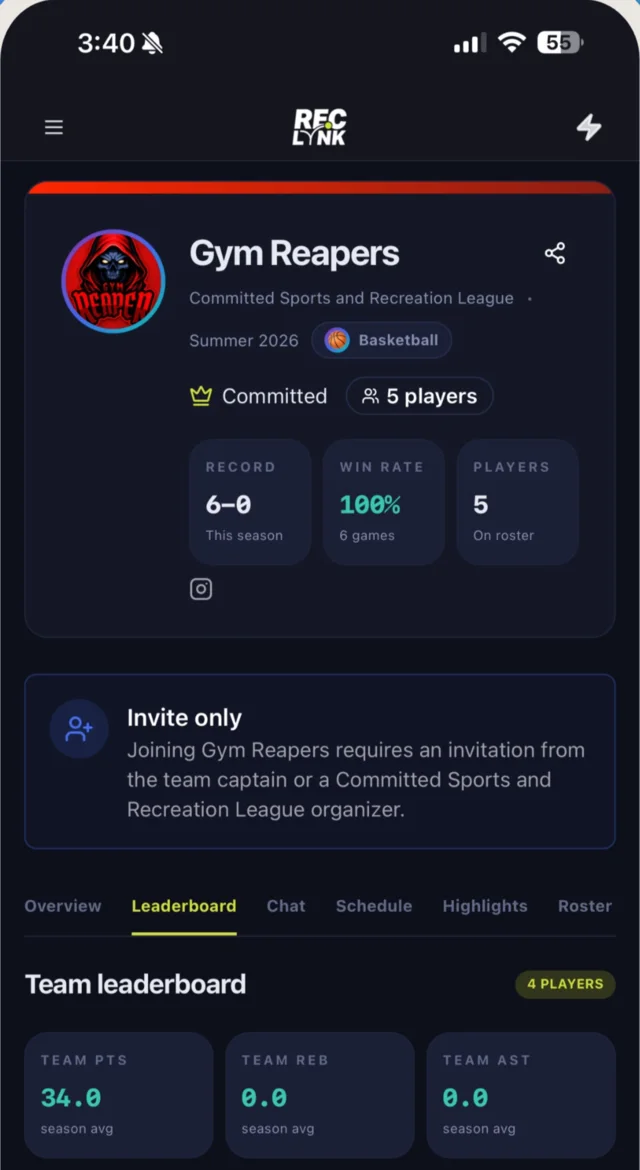
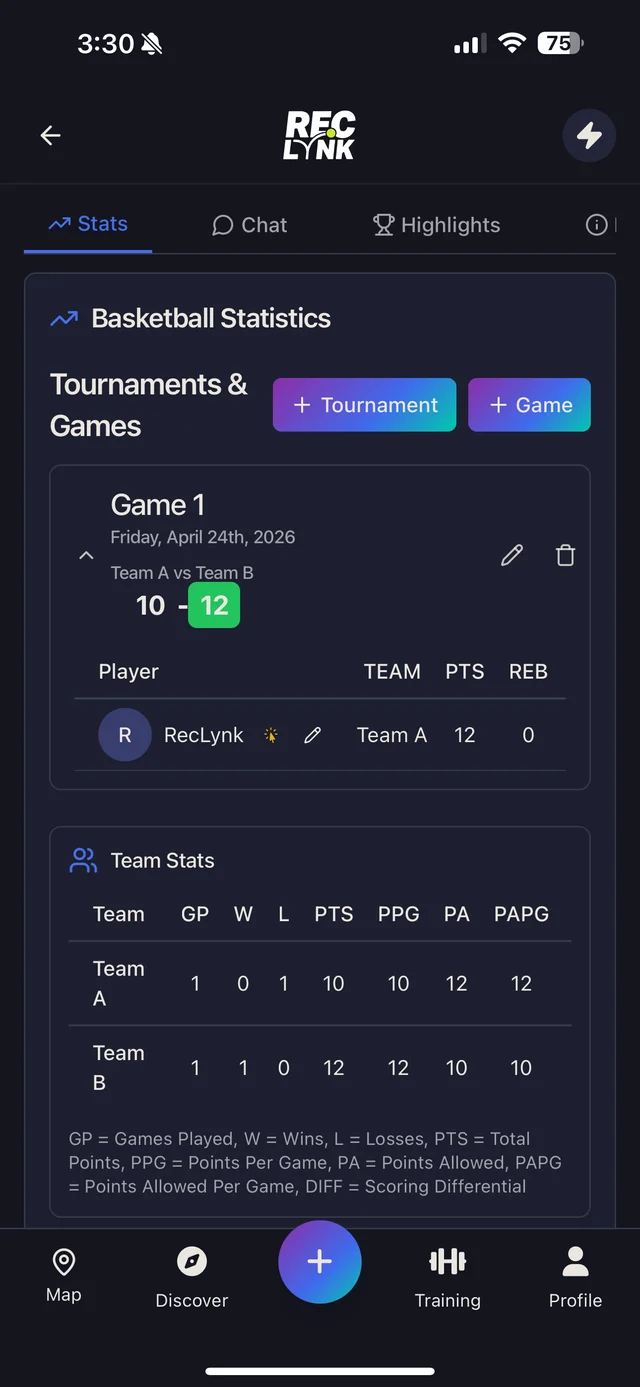
Three views of organized basketball. Browse Austin leagues, meet the Gym Reapers and read the game statistics.


01 / Launch locally
Your first season starts with a plan.
New idea or existing league: work out the essentials, see how RecLynk fits, then prepare registration. You don't need every answer before you talk to us.
Give the idea a shape.
Choose your sport, location, playing level and season dates. Estimate venue costs and the minimum number of teams you'll need.
Use the first-season planning guide →Work through the setup.
Follow the league tutorial for the practical steps. Decide how teams and free agents will register, what they'll pay and how you'll handle the season.
Read the how-to-run-a-league tutorial →Create your league.
Sign in to RecLynk to enter your league details, set registration options and create your first season.
Open league setup in RecLynk →
Welcome your people
Some arrive as a team. Others arrive hoping to find one.
Make room for both. A public league page gives you somewhere to share the invitation. Team and free-agent registration give interested players a way into the season.

Let captains register their team and invite teammates. Keep the roster and each player's share of the fee connected to that registration.
Welcome individual signups alongside teams. Explain how you'll place players, when they'll hear from you, and what happens if there isn't a suitable spot.
The stack
Less scattered. More connected.
From the first signup to the final score, keep the work of running your league in one place. Here’s what moves where.
Registration
A disconnected setupSign-up forms separate from your roster.
Together in RecLynkTeam and free-agent registration, connected to your rosters.
Payments
A disconnected setupPayment apps and a separate balance tracker.
Together in RecLynkTeam fees, payment plans and balances in one view.
Scheduling
A disconnected setupA spreadsheet to update and send around.
Together in RecLynkSeason and division schedules where players can find them.
Standings
A disconnected setupScores copied into another spreadsheet.
Together in RecLynkStandings that update as game scores come in.
Communication
A disconnected setupGroup chats disconnected from game details.
Together in RecLynkTeam conversations alongside schedules and per-game RSVPs.
Registration
Make joining clear. Keep the fees connected.
Show teams and free agents what they're signing up for. Captains can invite teammates by username, email, or text, with each person's share of the fee attached to the invite.
Pay in full
Captain covers the team, done in one transaction.
Split evenly
Invites carry each player's share of the fee.
Payment plans
Installments with automated reminders that do the chasing.
Deposits
Hold a team's spot now, collect the remainder later.
Balances in one view
Every team, every amount owed, manual payments and overrides included.
Refunds in-platform
Manage refunds alongside the original registration and payment.
Run the season
Make the next game easy to find.
Organize seasons and divisions, publish schedules, and keep standings connected to game scores. Enter scores by hand, score live, or use a photo of the paper score sheet to capture results with AI.

- 01Standings
Connected to game results
- 02Scorekeeping
Manual, live or AI-assisted photo entry
- 03Forfeits & cancellations
Account for changes to game night
- 04Stats
Corrections routed to the organizer
Between game nights
The season ends. The team doesn't have to.
A team is more than a row in your standings. Give players a shared home for their roster, schedule, stats, highlights, private chat and per-game RSVPs. Returning teams can re-register and keep their identity.

Branding
Look established on day one
Custom league branding, sport-themed pages, announcements, highlights gallery, and shareable graphics.

Discovery
An invitation you can share
Give interested players a public league page to explore, whether they find you through a friend, search or city discovery.

Control
Staff without handing over keys
Staff roles let co-organizers help. Private leagues stay invite-only when you want them.
The switch
Already running a league? Start with what works.
Use the walkthrough to map your current registration, payments and season workflow. Agree on what needs to move before you change the tools your captains know.
Review your existing records
Bring a sample roster and season structure. Discuss what can move and what needs preparation.
Choose a sensible handover
Plan around registration dates and games already on the calendar, rather than changing everything midweek.
Your process survives
Waivers, custom registration questions, and jersey add-ons are built into signup.
We map it on the call
Bring your current setup. We'll show you exactly what moves where.
The practical questions
What does it cost?
See our pricing page for current platform fees and payment processing details.
When do I get my money?
Payouts run through Stripe on your schedule, not ours. You're not waiting until the season ends.
Can I keep my own branding?
Yes. Your league pages carry your identity, not ours.
What if a team doesn't pay?
Use automated reminders and team-level balances to follow up with captains. Set a clear payment deadline and explain your policy before teams register.
Can players register without a full team?
Yes. Team and free-agent registration support both full rosters and individual players. Tell free agents how team placement will work before they sign up.
Do my players need the app?
Players can register on the web. The app brings schedules, team chat, per-game RSVPs and stats together for the season.