

TL;DR
Finding a game shouldn't take more effort than playing one. With RecLynk you can browse sessions near you on a map or list, filter by sport, day, and price, and join in a single tap. Free pickup runs let you join instantly; paid sessions take secure in-app payment. Add "Playing Today" city groups, recurring sessions, and proximity notifications, and there's always something to play.
App reference · Finding a game
Explore the map. Read the session.
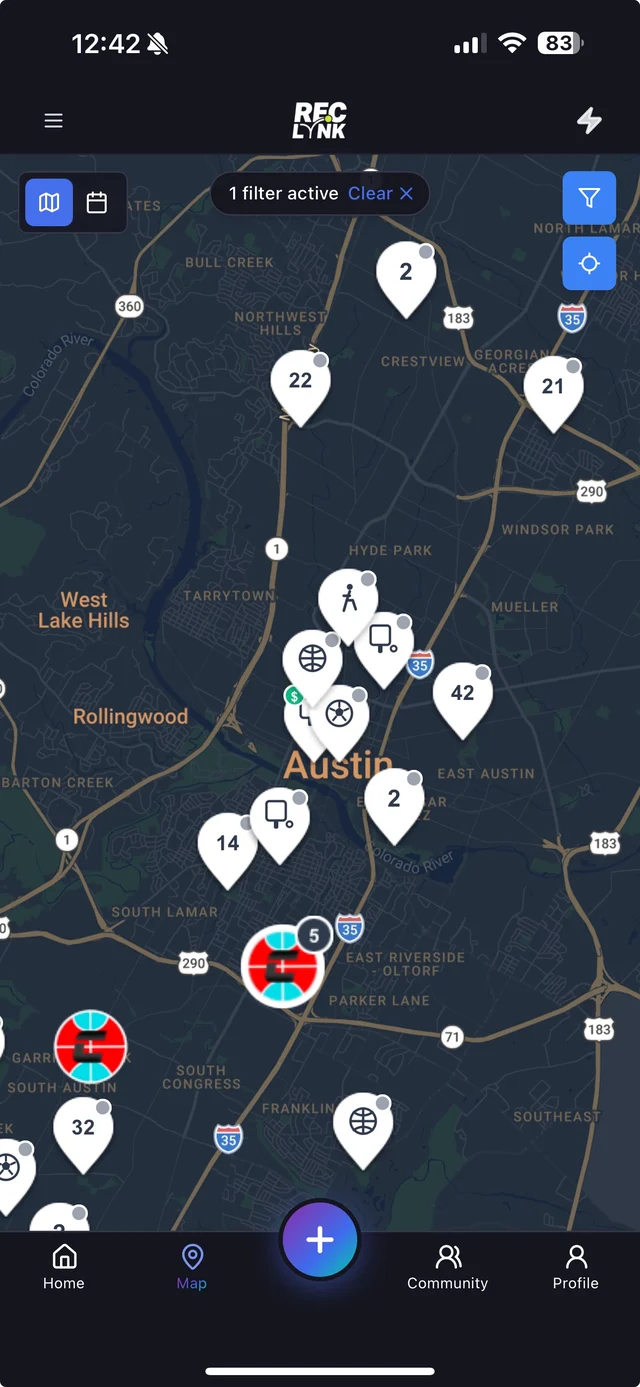
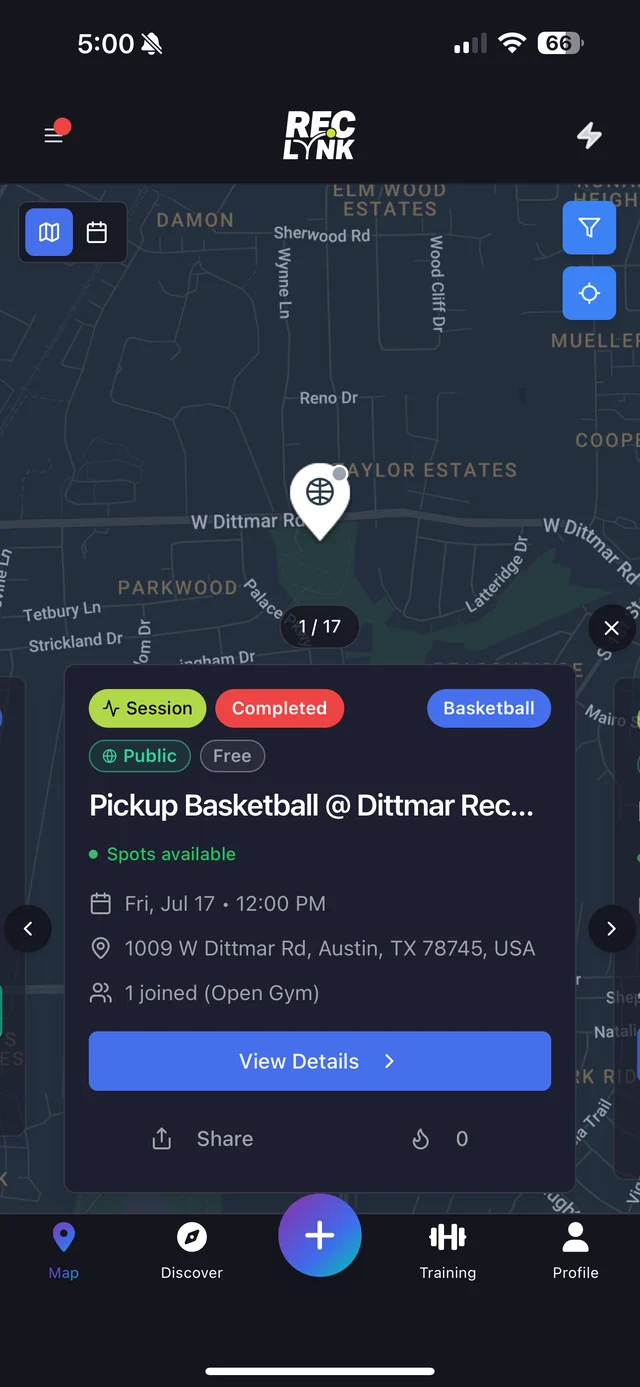
Use these Austin examples as a visual reference for discovery, not a list of games available today.

Key takeaways
- Discover sessions, events, league games, and venues near you in one "Near You" stream — as a list or on a map.
- Filter by type, sport, time, and price to find exactly the game you're after.
- Free sessions join instantly; paid ones use secure in-app payment.
- "Playing Today" groups let you connect with people playing your sport in your city right now.
- Turn on proximity notifications so new nearby games come to you.
Why finding a game is harder than it should be
You want to play. So you dig through three group chats, text five friends, and still end up with "maybe later." Meanwhile there's probably a run happening two blocks away with people who'd love an extra body.
RecLynk fixes that by putting every game in one place. Instead of guessing who's free, you can see what's actually happening near you and join it — no negotiating, no waiting on replies.
Browse what's near you
Open the Discover page and you'll land on a unified "Near You" stream. It mixes everything worth knowing about in your area: pickup and paid sessions, events, league games you can watch or join, and venues you can book.
Switch between List and Map
Prefer to scroll? Use List view to scan games top to bottom. Want to see what's genuinely close? Tap Map view and see games plotted around you, so distance is obvious at a glance. Toggle between the two anytime — same games, two ways to browse.
Filter down to the exact game you want
The full stream is great, but sometimes you know exactly what you're after. The filters narrow things fast.
Filter by type
Use the Type filter to choose what you see: All, Sessions, Events, League Games, or Venues. If you only want casual runs, choose Sessions and the rest drops away.
Filter by sport, time, and price
- Sport — tap the sport icons to show only your game, whether that's basketball, soccer, pickleball, or something else.
- Time — pick Any time, Today, Tomorrow, This Weekend, or a Custom range so you only see games that fit your schedule.
- Price — choose Any Price, Free, or Paid depending on whether you want a no-cost pickup or a paid session.
Stack these together — "Free basketball, this weekend, near me" — and you've got a shortlist in seconds.
Join a session in one tap
Found a game you like? Tap into the session page to see the details — sport, level, time, location, and who's already in.
Free sessions join instantly
When a session is free, hit Join Session and you're in immediately. No payment, no waiting for approval on public runs — just show up and play.
Paid sessions use secure in-app payment
For paid sessions, tapping Join Session opens a secure in-app checkout (powered by Stripe). Pay your spot and you're confirmed on the roster. Your money is handled safely inside the app, so there's no chasing anyone with cash at the court.
Chat with the crew before you arrive
Every session you join has its own group chat. Use it to ask about parking, confirm the start time, or just say you're on your way. By the time you get there, you already know the vibe.
Never miss a game again
The best game is the one you actually hear about. Turn on proximity notifications and RecLynk pings you when a session pops up near you. That weekly run you always miss? Now it comes to you.
Lock in the games you love
If there's a session you play every week, look for its recurring schedule — weekly runs and monthly meetups repeat automatically, so you can join the series and keep your spot without hunting for it each time.
Play today, on a whim
Sometimes you don't want to plan — you want to play right now. That's what "Playing Today" is for. Jump into a real-time group of people playing your sport in your city today, chat live, propose a session, and vote on the plan together. It turns "I wish something was happening" into "we're on for 6pm."
Prefer to let the app do the legwork? Ask the built-in AI assistant to find a game for you through simple chat. Tell it what you want to play and when, and it helps you track down or set up a session.
Frequently asked questions
How do I find pickup games near me?
Open the Discover page and browse the "Near You" stream in List or Map view. Use the Sport and Price filters to show free games in your sport, then tap any session to join.
Is it free to join a game?
Many sessions are free — just tap Join Session and you're in. Paid sessions show their price upfront and take secure in-app payment when you join.
Can I see games happening today only?
Yes. Use the Time filter and choose Today (or Tomorrow, This Weekend, or a Custom range) to only see games that fit your schedule.
What is "Playing Today"?
It's a real-time group for people who want to play your sport in your city that day. You can chat live, propose a session, and vote on the plan with others who are ready to play now.
How do I get notified about new games nearby?
Turn on proximity notifications. RecLynk alerts you when a new session is posted near you, so you don't have to keep checking.
Can I talk to other players before the game?
Every session has its own group chat. Once you join, you can message the group to coordinate timing, location details, and anything else before you show up.
What if I can't find the game I want?
Ask the built-in AI assistant through chat — it can help you find an existing game or set one up for you.
Find Your Next Game Today
Ready to play? Download RecLynk and discover pickup games near you in seconds.
Download RecLynk Free